Category

Nonprofit

To Use a Consultant or Not When Implementing New Software—That Is the Question

By | Nonprofit | No Comments

Nonprofits are masters at stretching resources. When every dollar is tied to mission impact, it’s natural to look for ways to save, especially on big projects like implementing a new ERP or financial system. Many organizations think, “We can do this ourselves. How hard can it be?”

Enterprise resource planning (ERP) and nonprofit accounting software implementation is more than a technical project. It’s an organizational transformation. And trying to manage it without expert guidance often leads to delays, frustration, and costly mistakes.

Hiring a consultant isn’t an unnecessary expense. It’s a strategic investment in doing the job right the first time.

The High Stakes of Software Implementation

Nonprofit accounting systems touch every corner of your organization: finance, programs, HR, development, reporting, and compliance. They’re powerful tools, but also complex ones.

A successful implementation requires clean, accurate data migration; well-designed workflows; integration with other systems; compliance with accounting standards; and staff training and change management.

When any of these pieces go wrong, the consequences ripple across the organization. You may face staff frustration and burnout, reporting inaccuracies, lost or corrupted data, costly rework, and delayed mission delivery.

A poorly implemented system can slow your organization down for years.

What Consultants Bring That Internal Teams Usually Can’t

Consultants have seen dozens, sometimes hundreds, of implementations. They know what works, what doesn’t, and how to avoid the pitfalls that derail inexperienced teams.

They also understand nonprofit-specific needs, including fund accounting, grant tracking, donor restrictions, audit requirements, and board reporting.

This expertise ensures your system is configured correctly from day one.

Objective, Unbiased Guidance

Internal teams are deeply familiar with existing processes, but that can be a disadvantage. It’s easy to recreate outdated workflows instead of designing better ones. Consultants bring a fresh, objective perspective. They challenge assumptions, identify inefficiencies, and help you modernize rather than replicate.

A Proven Implementation Methodology

Successful implementations follow a structured process. Consultants bring clear project plans, defined milestones, risk management strategies, testing protocols, documentation, and training and change management support. This structure keeps the project on track and reduces surprises.

Vendor Translation

Software vendors speak in terms of features. Nonprofits speak of their needs. Consultants speak both languages. They help you interpret vendor terminology, validate that the system meets your requirements, negotiate scope and expectations, and ensure nothing critical gets overlooked. They act as your advocate throughout the process.

The Hidden Costs of DIY Implementation

Your team already has full-time jobs. Adding an ERP implementation on top of their existing workload leads to burnout, delays, mistakes, and lower-quality decisions. And when staff are overwhelmed, mission-critical work suffers.

Rework Is Expensive

Many nonprofits that try to implement software themselves end up hiring a consultant later to fix what went wrong. Fixing a broken implementation often costs more than doing it right the first time.

Opportunity Cost

Every hour spent troubleshooting software is an hour not spent serving clients, managing programs, raising funds, or supporting staff. Your mission deserves better.

Risk of Incomplete or Incorrect Setup

Without expert guidance, organizations often end up with incorrect charts of accounts, broken workflows, inaccurate or unusable reports, compliance issues, and data loss. These problems can take months or even years to unwind.

How Consultants Actually Save Your Organization Money

Consultants keep the project moving. They prevent scope creep, avoid unnecessary delays, and help you go live sooner. A faster implementation means less staff time spent on the project, quicker return on investment, and earlier access to improved workflows.

Better System Adoption

A system is only as good as the people using it. Consultants provide training, documentation, and change management support. This ensures your team feels confident and capable, not frustrated and resistant.

Optimized Workflows Reduce Long-Term Labor Costs

Consultants help you streamline processes and automate manual tasks. Over time, these efficiencies save significant staff hours and reduce errors.

Avoiding Expensive Mistakes

Misconfigurations can cost thousands to fix later. Consultants help you avoid those mistakes entirely by ensuring the system is configured correctly from the start.

What to Look for in a Good Implementation Consultant

Not all consultants are created equal. Look for someone who offers nonprofit experience, deep accounting and ERP software expertise, strong communication skills, a clear and proven methodology, transparent pricing, and a commitment to training and empowering your team. The right consultant becomes a partner, not just a vendor.

Investing in Success

Hiring a consultant for your software implementation isn’t about spending more money. It’s about spending wisely. A well-implemented system supports your mission, strengthens your operations, and empowers your staff for years to come. A poorly implemented one drains time, energy, and resources.

When the stakes are this high, expert guidance isn’t a luxury. It’s a smart investment in your organization’s future.

Welter Consulting

Welter Consulting bridges people and technology together for effective solutions for nonprofit organizations. We offer software and services that can help you with your accounting needs. Please contact us for more information.

Why Healthcare Nonprofits Are Moving to Cloud-Based Accounting Software

By | Accounting, Accounting Software, Healthcare, Nonprofit | No Comments

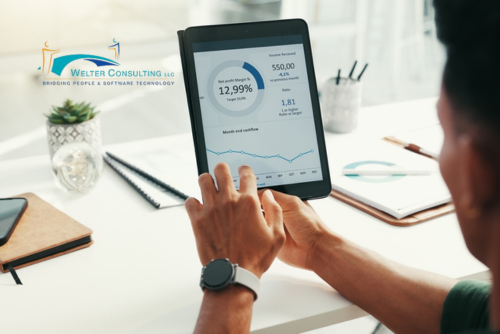
Running a healthcare nonprofit means juggling complex funding streams, regulatory requirements, and the constant pressure to maximize every dollar. Your accounting software should make this easier, not harder. That’s why more healthcare organizations are discovering that cloud-based accounting platforms offer game-changing advantages over legacy systems.

Let’s explore seven compelling reasons why cloud accounting might be the right move for your healthcare nonprofit.

Build Dashboards That Match How Your Organization Really Works

Your healthcare nonprofit doesn’t operate like a cookie-cutter business, so why settle for generic financial views? Cloud accounting platforms let you design dashboards that reflect your unique workflows and priorities.

With cloud systems, you can:

  • Track service hours alongside program spending
  • Monitor compliance metrics next to budget variances
  • Set up quick-access buttons for time-sensitive approvals
  • Share critical updates with your team right on their home screen

You can even establish standardized checklists for recurring tasks, such as grant reporting deadlines or regulatory filings. When each team member sees exactly what matters to their role, everyone works more efficiently, and nothing slips through the cracks.

Let Artificial Intelligence Handle the Tedious Stuff

Your finance team didn’t enter the nonprofit sector to spend their days on data entry. Cloud platforms now harness AI to automate repetitive tasks and catch potential problems before they become real issues.

Imagine invoices that extract their own data and route themselves for approval. Picture bank reconciliations that learn your transaction patterns and automatically match entries. Think about searching your financial system using everyday language instead of hunting through endless menus.

Machine learning algorithms can flag unusual transactions that might need a second look, whether they’re genuine errors or important outliers. This means your talented staff can spend more time on meaningful analysis and strategic planning, the work that truly advances your mission.

Seamlessly Connect Your Entire Technology Stack

Healthcare nonprofits often rely on specialized software for everything from donor management to grant compliance. Cloud accounting platforms integrate with these tools, creating a unified ecosystem instead of forcing you into isolated data silos.

Leading solutions like Sage Intacct offer extensive integration marketplaces where you’ll find connections to fundraising platforms, grant management systems, HR software, procurement tools, and more. These aren’t clunky manual imports. The information flows automatically between systems in real time.

Your development team can track donations in their preferred customer relationship management system or CRM while financial data updates automatically in your accounting system. Your program managers can monitor patient outcomes in specialized healthcare software while budget information stays perfectly synchronized. You get best-in-class tools for each function without sacrificing financial visibility.

Analyze Your Finances from Every Angle That Matters

Healthcare nonprofits need to view financial performance through multiple lenses simultaneously. How much did we spend on community health programs across all funding sources? Which grants are underspent? What does our cost per patient look like by service line?

Cloud platforms use dimensional reporting (sometimes called segment analysis) to answer these questions without creating an impossibly complicated chart of accounts. You can slice your data by program, funding source, location, patient population, service type, department—any dimension that helps you understand your financial story.

Generate sophisticated reports that show program managers exactly what they need to see while giving board members the big-picture oversight they require. This flexibility transforms financial data from a compliance necessity into a strategic asset.

Keep Financial Conversations Where They Belong

When questions arise about financial data, where do those discussions happen? Probably in email threads, Slack messages, or hallway conversations. Because the information is scattered, it’s hard to track and follow up on messages. They get lost.

Tools like Sage Intacct Collaborate embed communication directly into your accounting system. Team members can ask questions, share insights, and discuss financial matters right alongside the relevant data. Attach notes to specific reports so context travels with the numbers.

Every conversation creates an automatic audit trail within the software itself. When auditors ask whether department heads reviewed their budget variances, you can show them the documented discussions. During funders’ site visits, you can demonstrate transparent financial oversight. This approach brings accountability and institutional knowledge together in one accessible place.

Click Through to the Details Whenever You Need Them

Ever looked at a financial report and thought, “Where did that number come from?” Cloud accounting eliminates this frustration through complete drill-down capability.

Click any figure to see progressively more detail until you reach the original source document. Program directors can investigate budget variances themselves instead of submitting requests to finance. Board members can explore specific line items during meetings without waiting for follow-up reports. Auditors can trace any amount back through supporting documentation in seconds.

This transparency builds financial confidence throughout your organization. When everyone can see the story behind the numbers, you create a culture of shared ownership over financial stewardship.

Work from Anywhere with True Cloud Technology

Not all “cloud” software is created equal. True cloud platforms run entirely through web browsers, so no special installations or remote desktop connections are needed. Your team can work flexibly without compromising security or functionality. System updates happen automatically in the background, so you’re always using the latest version without disruption.

These platforms leverage enterprise-grade infrastructure from major cloud providers, giving you security, reliability, and disaster recovery capabilities that would cost a fortune to build independently. Your data stays protected with continuous backups, and you maintain access even if your physical location faces unexpected challenges.

Ready for Change?

Transitioning to cloud-based accounting software represents an investment in your organization’s capacity to serve your community effectively. These platforms eliminate barriers between departments, accelerate reporting cycles, and provide the transparency that funders and stakeholders increasingly expect.

As your healthcare nonprofit expands services, adds programs, or pursues new funding opportunities, cloud accounting scales alongside you. You won’t outgrow your system or face expensive overhauls down the road.

The real payoff? Your team spends less time wrestling with technology and more time focused on what matters most: improving health outcomes in the communities you serve.

Welter Consulting

Welter Consulting bridges people and technology together for effective solutions for nonprofit organizations. We offer software and services that can help you with your accounting needs. Please contact us for more information.
There’s an App for That! The Top Apps for Accountants

By | Accounting, Accounting Software, Nonprofit | No Comments

“There’s an app for that!”

It often feels like every company under the sun has an app. There are apps for banks, grocery stores, and you name it, there’s an app for that. Accounting has its share of apps too. In fact, there are so many apps on the market that it can feel overwhelming. Which ones add to productivity, and which ones detract from it? Which apps truly help, and which just clutter up your phone?

Which apps are must-haves? Let’s take a look at the following categories and see if you agree on The Best Time-Saving Apps that accountants should have in today’s increasingly technology-driven profession.

Accounting Software

No matter what accounting software you’re using, chances are good that the manufacturer has an app to accompany it. Apps can be invaluable time-savers, especially if you travel a lot on business. With a dedicated app that syncs to your organization’s accounting software, you can check virtually anything from your phone. For example, if you are using Sage Intacct, it has an accompanying app that enables you to work from your phone as needed.

AI Platforms

If you’re using AI platforms to streamline work, look for the apps that accompany them. These apps can help you draft emails and notes, scan documents, and more quickly and easily. The choice of which one to use is entirely up to you. There’s no one better AI platform than another. Please keep in mind that you should never upload or enter confidential or proprietary information with public-facing AI platforms.

Office Productivity

Office productivity software includes word processing, calendar scheduling, spreadsheets, and similar applications. Companies using Microsoft-based products can download Microsoft Teams and other apps to ensure access to and use of the full suite of Microsoft products; Google’s productivity suite, which encompasses Google Docs, Sheets, Presentations, and more, also has a similar app. Calendar-scheduling apps that integrate with your email and website, such as Calendly, can help you tame the meeting monster and schedule your time more efficiently. Communication apps such as Slack or WhatsApp can also make it easy to send and receive quick text messages.

Meeting Apps

Meeting apps, such as Zoom Workspace, GoToMeeting, and other conferencing applications, come in handy when you need to meet with coworkers, vendors, customers, or others but can’t go in person. The apps that accompany these platforms enable fast video conferencing, recording, and may include AI notetaking and transcription. Both are great features that can save you a lot of time.

Cybersecurity

With all this talk of apps, we’d be remiss if we didn’t recommend perhaps the most important app of all: A cybersecurity app. Such apps scan incoming emails, texts, and yes, other apps downloaded to your phone or computer to help prevent viruses, trojans, and worms from wreaking havoc with your files and systems. McAfee, Norton, and other security programs also offer apps for phones and computers that help keep your data and devices safe.

Clean Up Unused Apps

Quick tip: Before downloading new apps, make sure your security app is installed first so it can scan other apps before you add them to your device. Remove unused apps, too, to make room for new ones.

Apps have made our lives so much easier, offering quick shortcuts to essential programs and information. For accountants, apps can be a great time-saver.

Welter Consulting

Welter Consulting bridges people and technology together for effective solutions for nonprofit organizations. We offer software and services that can help you with your accounting needs. Please contact us for more information.
Smart Hiring: Use AI Safely to Hire Great Accounting Talent and Avoid Costly Mistakes

By | HR, Nonprofit | No Comments

Artificial intelligence (AI) can perform tasks quickly and efficiently. What once took people many hours to do can take seconds with the right AI prompt. However, with that speed and efficiency comes the risk of replicating not just good processes, but bad ones. AI doesn’t distinguish good from bad, so if you feed it a poorly worded prompt or ask it to use outdated data, it will do so without flinching. And that’s where many companies run into problems, especially when using AI to assist in the hiring process.

Many companies now use AI-enabled human resources platforms to review resumes during the hiring process. The AI tools scan resumes, looking for keyword phrases and other information that matches the job description. And, while you’d think that an AI platform eliminates bias, it can actually reinforce bias. Here are some of the pros and cons of using AI as part of your candidate screening process to get the most from its time-saving efficiency.

Pros and Cons of Using AI in the Accounting Hiring Process

There are certainly many positive aspects of using artificial intelligence in the hiring process, especially for accounting team members. AI systems can immediately scan resumes for vital credentials and criteria, such as specific educational credentials, certifications, and years of experience. It can flag inconsistencies, even subtle ones that human screeners might miss. It can even detect so-called “ghost” candidates or fraudulent applicants. All of these are good reasons to use AI as part of the recruiting process to screen resumes.


However, there are also drawbacks to using AI. Remember that artificial intelligence learns from historical data. Whatever data your HR team feeds into the AI system, it learns from and leverages it for future hiring recommendations. If past hiring decisions were biased, guess what? The AI will learn that bias too. And, if your previous hiring practices weren’t the best, and you had high turnover, the AI will learn the ‘wrong’ way to view candidates. It’s going to mirror what happened in the past, learn from your company’s track record, and use that information moving forward.

AI Makes Mistakes

One thing everyone is learning the hard way: AI can, and does, make mistakes. If you’ve ever used ChatGPT or another AI platform, you may notice in small print a warning that AI can and does make mistakes. The same holds for AI used in the hiring process for accounting firms.

AI models can incorrectly flag fraudulent resumes or mismatched resume and job description criteria. It can also miss great candidates because a resume doesn’t have the keywords or phrases it’s been programmed to look for in its algorithm.

Humans Should Review All AI Recommendations

The overall consensus is that people should always be part of the process when using AI in the workflow for hiring new accounting team members. Balancing automation with human insight and judgment is critical to achieving maximum efficiency with minimum bias or mistakes from AI.

Some best practices accounting teams can use when tapping into the power of AI as part of their hiring processes include:

  • Review and audit the algorithm: Did you hire a company to build your AI model? Meet with them to learn more about how they build their model. Understand how the AI is making judgment calls and specifically, how the programmers are accounting for bias in the process.
  • Clean your data: If the AI model is trained in past hiring practices, work with your HR team and the AI programmers to ensure the data being used to train the AI isn’t flawed.
  • Don’t rely solely on AI as a gatekeeper: Think of AI like the college intern working for your HR department. Just as you would review the internet’s candidate recommendations to make sure they are recommending the right people, you should review the AI’s recommendations too.

AI has its place in many workflows throughout an accounting department, including helping with candidate screening. But hidden biases, poor data inputs, programming nuances, and mistakes can lead to missing great candidates among the applicants. To find great candidates, partner with your AI model, and use it as a starting point, not the end-all and be-all of the hiring process.

Welter Consulting

Welter Consulting bridges people and technology together for effective solutions for nonprofit organizations. We offer software and services that can help you with your accounting needs. Please contact us for more information.